Set Up TradingView Webhook Signals
Connect TradingView alerts to Wise Trade so your strategies execute automatically when signals fire.
Have a working TradingView alert that sends signals to your Wise Trade fund.
Prerequisites
Complete these tutorials first for the best experience:
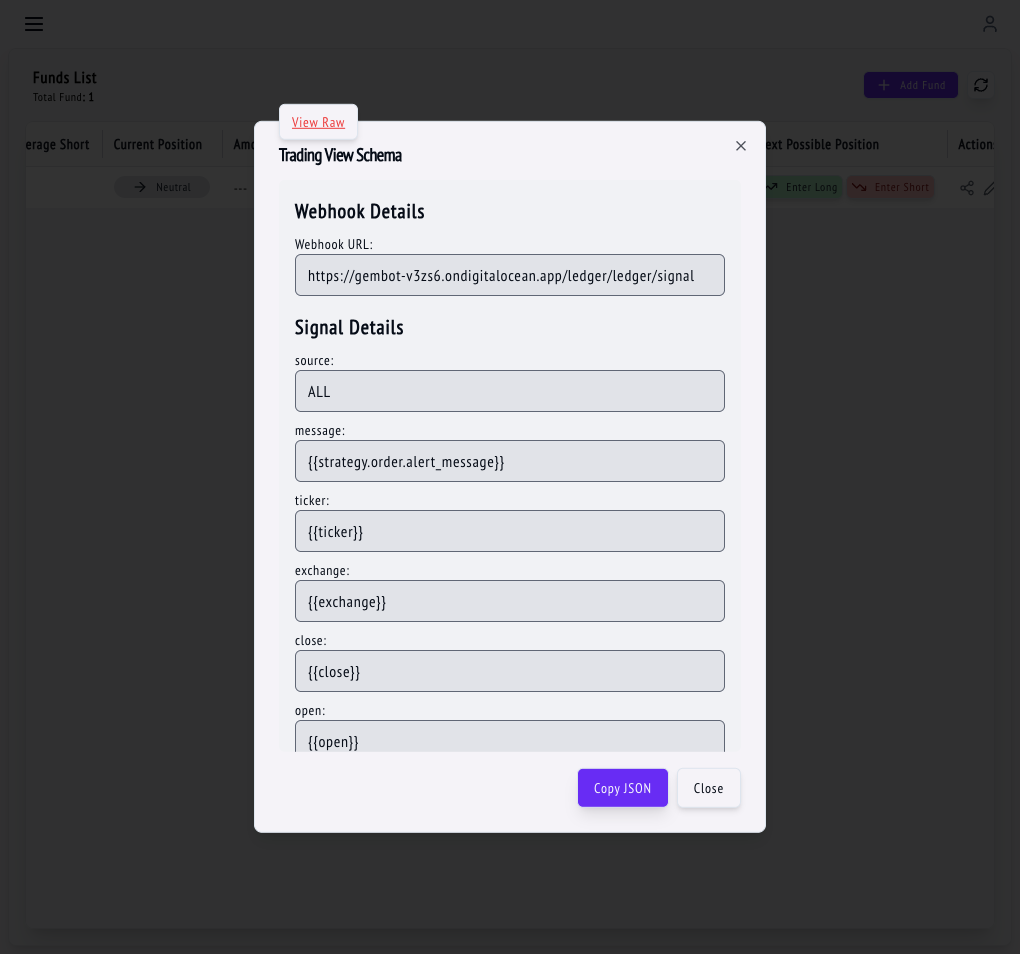
In Wise Trade, go to your fund details. Copy the Webhook URL — this is the endpoint TradingView will send alerts to. It looks like: `https://api.yzetrade.com/ledger/signal`
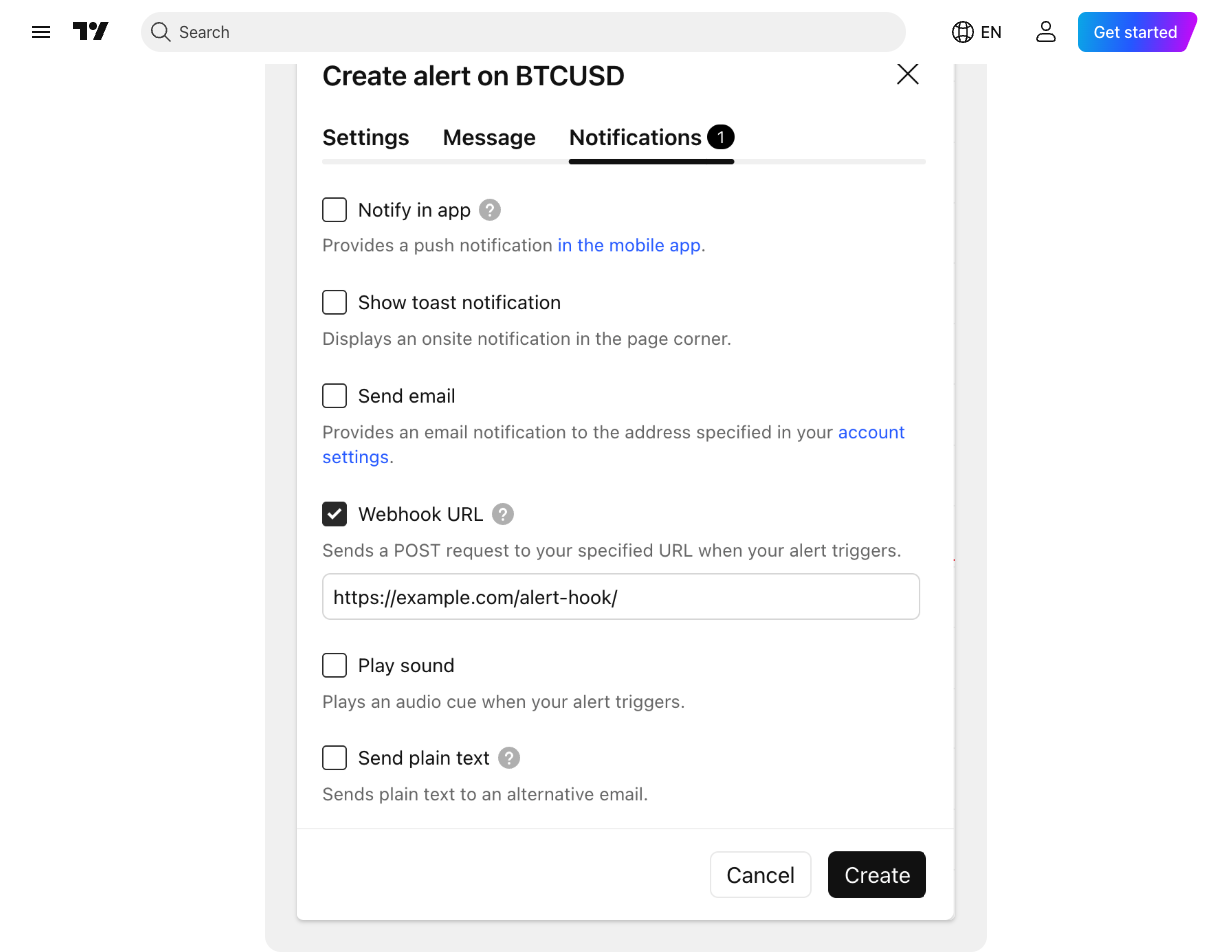
Open your chart in TradingView, add your indicator or strategy, then click Create Alert (the alarm icon). In the alert dialog, check Webhook URL and paste the URL you copied.
Webhook alerts require TradingView Pro plan or higher.
In the Message field, use this JSON format. Replace the values with your fund name and desired signal: `{"fund": "MyBTCFund", "signal": "ENTER_LONG", "pair": "BTCUSDT"}`
Wise Trade supports these signals: ENTER_LONG (buy/long), EXIT_LONG (close long), ENTER_SHORT (sell/short), EXIT_SHORT (close short), FLIP_LONG_TO_SHORT, and FLIP_SHORT_TO_LONG.
Fire a test alert from TradingView and check your fund's Signals page to see if it was received. A successful signal shows status "PROCESSED". If you see "ERROR_PROCESSING", check your fund name and pair spelling.
You can also send a test signal manually from the Wise Trade dashboard to verify your API keys work.
Tips & Best Practices
- Double-check that the fund name in your alert JSON matches exactly (case-sensitive).
- Make sure the trading pair in the alert matches what you configured in the fund.
- If signals aren't arriving, verify your TradingView plan supports webhooks.
- Check your exchange for maintenance windows if orders aren't executing.
What's Next?
Fix common issues with signals and trades, and learn how to keep your account and API keys secure.
Upgrade to Pro and unlock advanced features like 8 trading funds, synthetic pair trading, and order slicing.