Pro Features: Multiple Funds, Synthetic Pairs & More
Upgrade to Pro and unlock advanced features like 8 trading funds, synthetic pair trading, and order slicing.
Understand what Pro offers and how to use its advanced features.
Prerequisites
Complete these tutorials first for the best experience:
Click Upgrade to Pro in the top-right corner, or go to the Billing page from your user dropdown. Pro costs $20/month and you can cancel anytime.
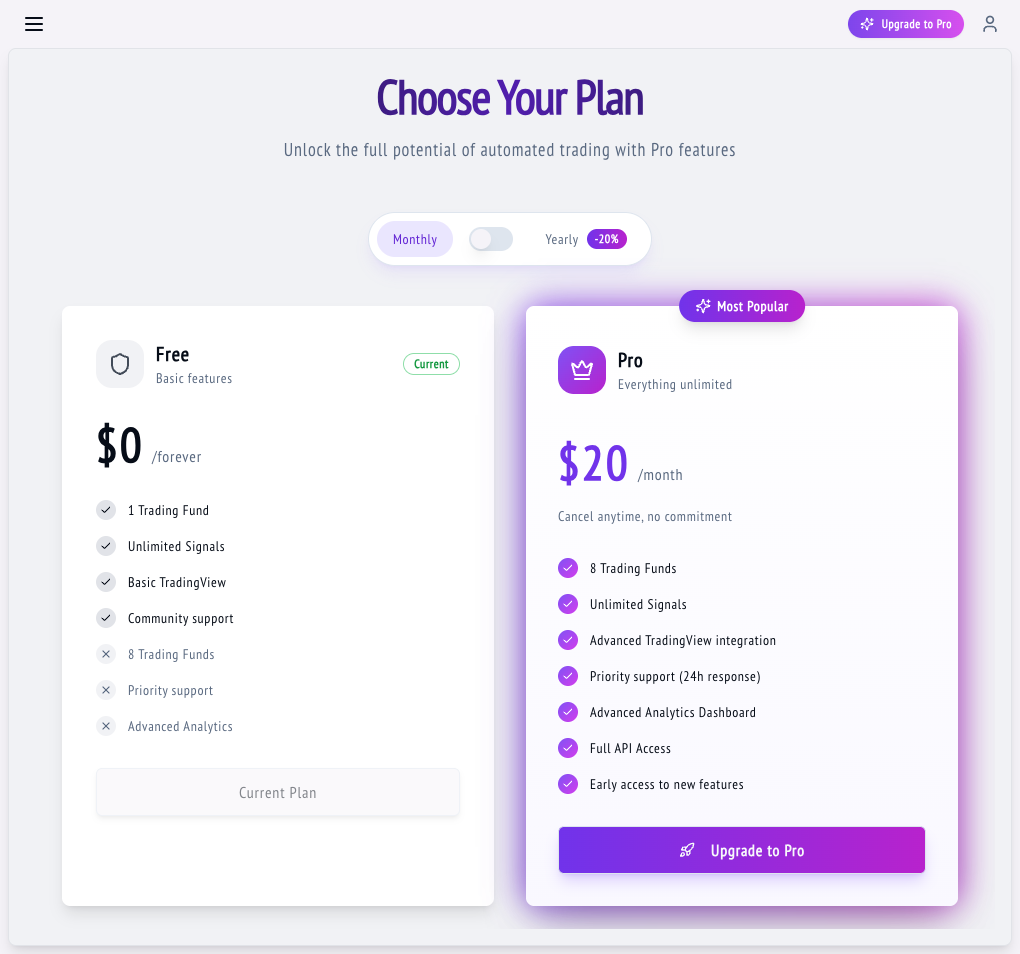
With Pro you can have up to 8 funds. Use separate funds to isolate different strategies (e.g., one for BTC scalping, one for ETH swing trading). Each fund has independent P&L tracking.
Synthetic pairs let you trade custom combinations like BTC/ETH. Enable the Synthetic toggle when creating a fund, then configure both the base and quote assets. Wise Trade executes two simultaneous orders to create the synthetic position.
Synthetic pairs are advanced — make sure you understand both assets before trading them.
Pro unlocks Delay, Slices, and Throttle settings on funds. Order slicing breaks large orders into smaller pieces for better fill prices and less slippage. Configure these in the Asset Configuration section of your fund.
Use the Pause/Resume toggle to temporarily stop a fund without deleting it. Delete funds you no longer need. Monitor all funds from the Funds List page to see positions, leverage, and P&L at a glance.
Tips & Best Practices
- Organize funds by strategy type or exchange for easier management.
- Pausing a fund does not close open positions — close them manually on the exchange first.
- You can downgrade back to Free anytime, but you'll be limited to 1 active fund.
What's Next?
Connect TradingView alerts to Wise Trade so your strategies execute automatically when signals fire.
Fix common issues with signals and trades, and learn how to keep your account and API keys secure.